
If scrollbars on the Mac seem to disappear, check and adjust the setting below to restore them.
1. From the Apple menu, select System Preferences.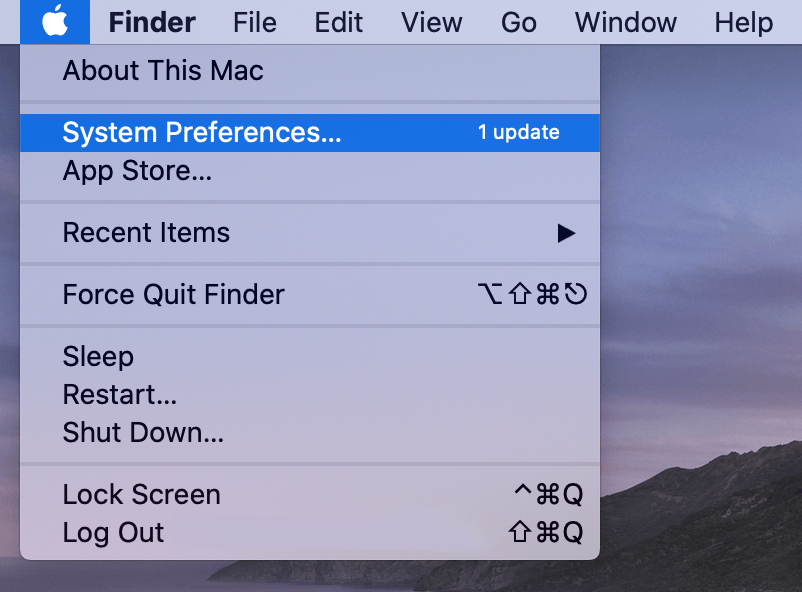
2. Click General. Once you click General the following menu will appear.
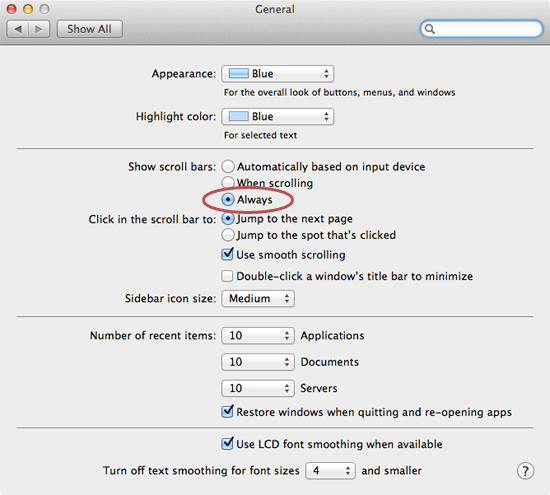
3. Set the Show Scroll Bars setting to Always.
4. Close System Preferences.
Once you close System Preferences all changes will be saved and scroll bars will no longer disappear.
Comments
0 comments
Article is closed for comments.